Develop locally
Use reload diagnostics, the Inspector, and generated HTTP documentation to understand a running Orders API.
Continue in the tested relkit-orders app from Test the Orders API.
Keep the same SQLite file and authentication environment. This chapter deliberately makes one
temporary source error, repairs it, and checks the active app.
1. Know the local surfaces
| Surface | Default address | What it shows |
|---|---|---|
| Backend | http://localhost:3000 |
Your Orders routes |
| Optional Inspector tool | http://localhost:3210 |
Functions, routes, requests, logs, and diagnostics |
| HTTP contract | http://localhost:3000/_relkit/v1/openapi.json |
Generated endpoint contracts |
| Readiness | http://localhost:3000/_relkit/v1/health/ready |
Whether the active generation can serve |
If you want the optional UI, complete Inspector installation, bridge enablement and independent launch.
bun run dev starts the backend; the separate tool provides the optional UI and history. You can
check readiness, routes and JSON OpenAPI below without the tool.
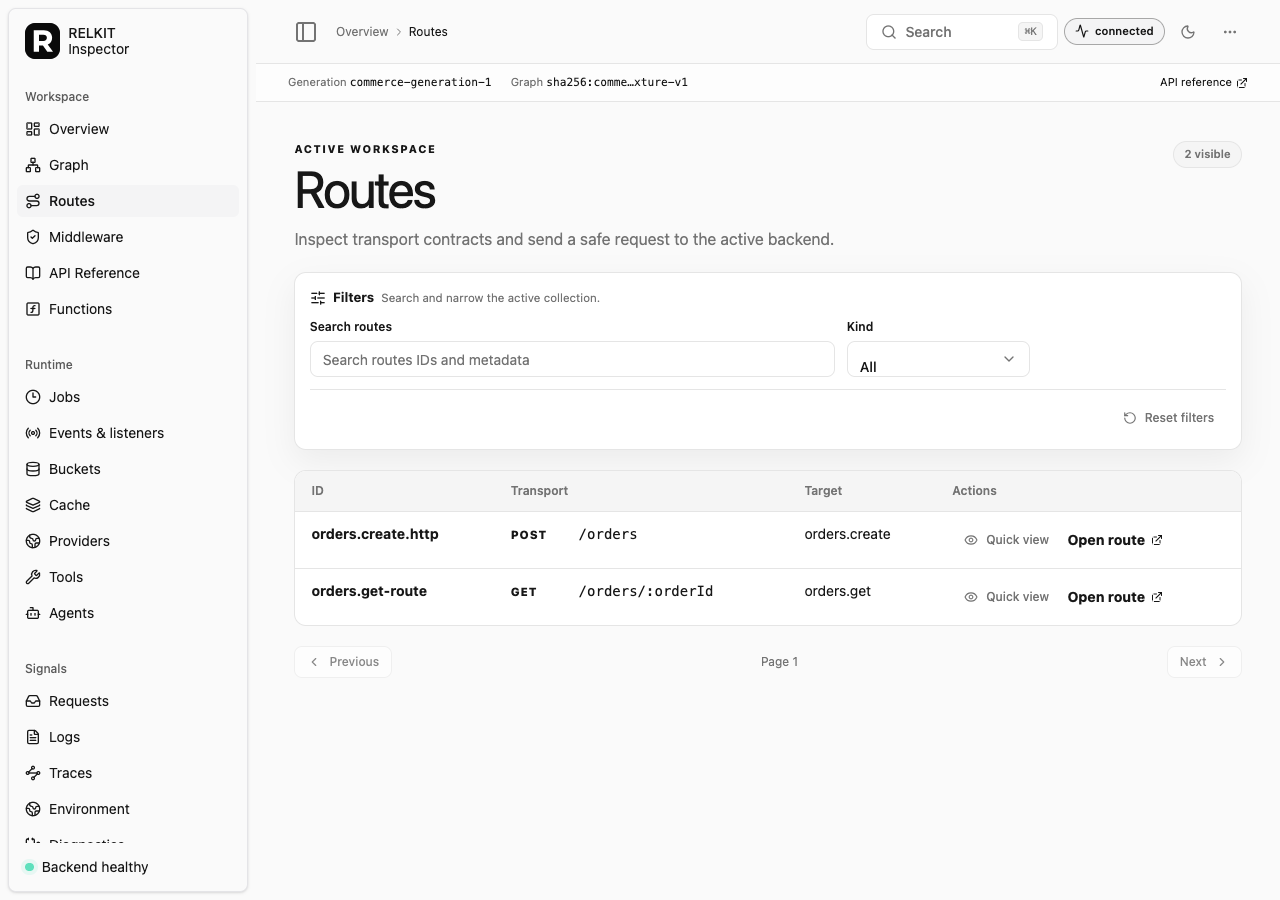
With both processes running, open the tool’s UI. Choose Routes, then POST /orders to see the
public function it targets. Open Functions and find the Orders pricing and creation
operations. The inspector shows the checked application, not a second configuration to edit.
On an unchanged installed project, development reuses a prepared snapshot only after checking its
complete source, generated graph, dependency, and tool identities. A missing, stale, corrupt, or
ineligible snapshot returns to the normal full validation path; it never weakens candidate health or
last-known-good switching. Run bunx --no-install relkit dev --prepare when you want to perform that
finite validation ahead of the interactive session.
Backend readiness is independent of the Inspector. Explicit inspector.enabled starts only the private
authenticated bridge on 127.0.0.1:0; it installs or launches no UI or history store. The standalone
tool owns port 3210 and persistent history. Stopping it leaves the backend serving, while bounded
bridge capture may report gaps until a collector reconnects.
The commerce demo below shows the same Routes navigation item and Open route action you will use in your app:
2. See a failed reload safely
In src/routes/orders/route.ts, temporarily misspell defineServiceRoutes and save. The
development terminal reports a source diagnostic. The last valid generation remains active;
a new broken candidate does not replace it. Restore the spelling and save again.
Check readiness and the protected route after the repaired generation activates:
curl -i http://localhost:3000/_relkit/v1/health/ready
curl -i http://localhost:3000/orders/private-1
Expect readiness success and 401 for the signed-out Orders request. If the app did not
reactivate, run bun run check and fix its first diagnostic. The last valid generation can
serve requests while a changed candidate is invalid, but an initial startup failure has no
previous generation to keep serving.
3. Inspect the generated contract
Open the HTTP contract above and find POST /orders and GET /orders/{orderId}. For an interactive
reference, explicitly select Scalar. Compare
their methods, paths, and request shapes with the source. The checked graph and OpenAPI files
under .relkit/generated are useful for diagnosis; repair source, then rerun check.
Verify changes
bun run check, bun run typecheck, and bun run test cover different concerns: graph
relationships, TypeScript types, and behavior.